Your support helps keep this blog running! Secure payments via Paypal and Stripe.
Managing bookmarks in Chrome can quickly get messy when you have hundreds of saved links across multiple folders. That’s why I built a custom Bookmark Manager Chrome Extension using Claude.AI — designed to make bookmark organization faster, smarter, and more visual.
This extension syncs directly with your existing Chrome bookmarks and provides an intuitive interface to search, edit, organize, and clean up your bookmarks effortlessly.
Key Features
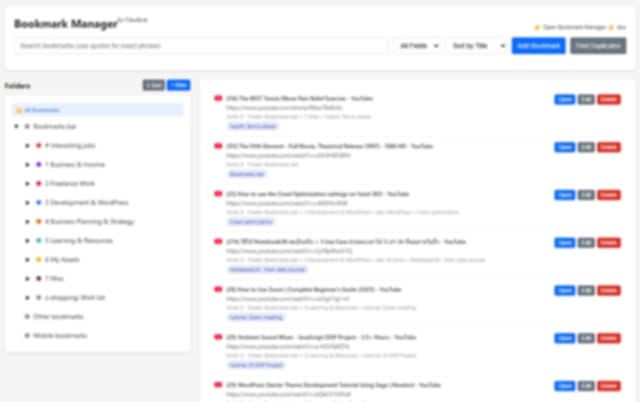
- Smart Folder Management: Add, edit, delete, or color-code folders with a simple hover or right-click.
- Drag & Drop Organization: Move bookmarks or folders around easily to keep things structured.
- Duplicate Finder: Instantly detect and remove duplicate bookmarks to keep your library clean.
- Search & Filter: Use quotes for exact phrase matching and find any bookmark within seconds.
- Sorting Made Simple: Sort bookmarks alphabetically with one click.
- Syncs with Chrome: Automatically reflects your Chrome bookmarks—no extra setup needed.
- Quick Access: Click the extension icon to open your manager in a clean, responsive interface.
Screenshot
How to Install
- Save these files into a single folder:
manager.html(main interface)manager.js(core JavaScript logic)manifest.json(Chrome extension configuration)background.js(for opening the manager)- Plus three icons:
icon16.png,icon48.png,icon128.png
- Open Chrome and visit
chrome://extensions/ - Enable Developer Mode (toggle on the top right)
- Click Load unpacked and select your extension folder
- Click the extension icon to launch your new Bookmark Manager!
Usage Tips
- Hover over folders to access the manage buttons (Edit, Delete, Add Subfolder).
- Right-click any folder to assign a custom color.
- Use
"quotes"in search of exact matches. - The Sort button alphabetically orders bookmarks within folders.
- Drag & Drop folders and bookmarks to reorder them easily.
- The visiting count is powered by Chrome’s History API to help you see your most-visited bookmarks.
Under the Hood
The manager.js file includes:
- Initialization and variable declarations
- Event listeners for all user interactions
- Folder and bookmark rendering
- Full drag & drop functionality
- Folder and bookmark CRUD management
- Search, filter, and sorting
- Color picker for folder customization
- Duplicate detection logic
All features are built for efficiency and responsiveness, ensuring the manager runs smoothly even with large bookmark collections.
Download the Extension
Please complete the form. Upon successful submission, the file download will begin automatically. Please allow a few seconds for the submission to complete.
Once downloaded, unpack the folder and load it into Chrome using the steps above. You’ll have a full-featured, local, and privacy-friendly bookmark manager — all running directly in your browser.
Important Note
Before managing your bookmarks with this extension, please back them up. I have been testing this for a month and have encountered no issues. Feel free to use it at your own risk. You may customize the extension as needed.
Why I Built This
As a developer and designer, I rely on bookmarks daily — tutorials, client projects, plugins, and research links. Chrome’s default bookmark manager didn’t offer enough flexibility or structure. This project began as a personal productivity tool and evolved into something worth sharing with others who want better control over their online workspace.
If you like my extension, please consider supporting my work by buying me a coffee (via card or PayPal).
Your support helps keep this blog running! Secure payments via Paypal and Stripe.